Audience: Requester
You can set your preferred Payout Method in your user profile in Reimbi. This specifies how you will receive your funds. The options include:
- Amazon Credit
- Venmo
- Electronic Check
- PayPal
- Direct Deposit
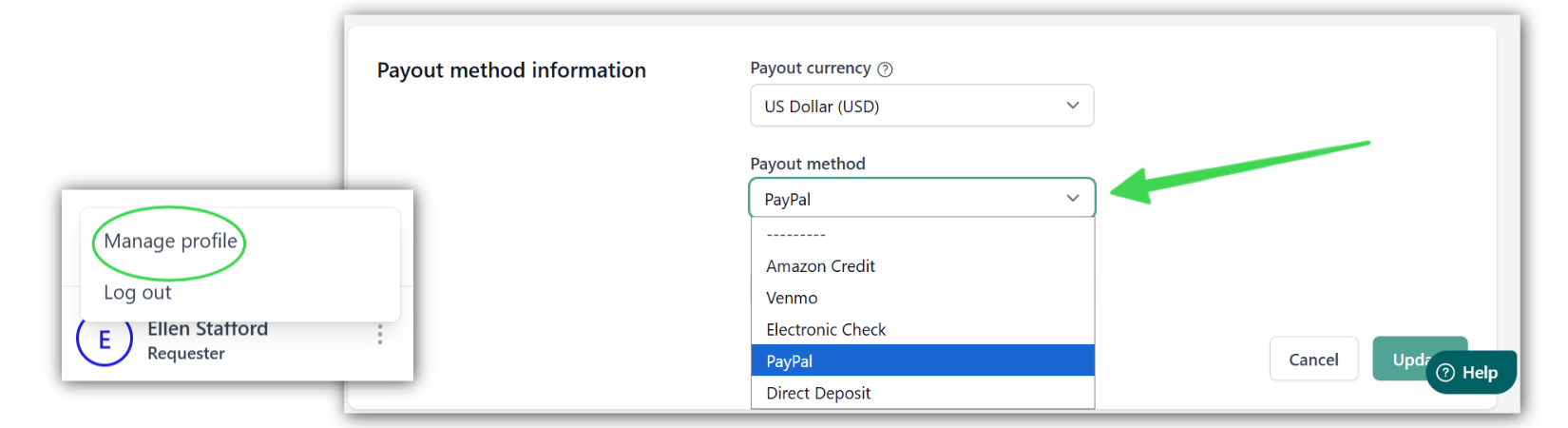
Login and click the menu icon at the bottom left corner of the screen and select Manage Profile --> Payout method information. Here you can make adjustments to your account, including updating your payout currency and payout method.
Make sure to click Update after making changes.
Was this article helpful?
That’s Great!
Thank you for your feedback
Sorry! We couldn't be helpful
Thank you for your feedback
Feedback sent
We appreciate your effort and will try to fix the article